How to stream on TikTok LIVE in 2026 (and the stream key problem)
By Elan Harpaz
The three ways onto TikTok LIVE, what each one requires, and why the OBS stream key everyone searches for is the hardest one to get.
Your encoder tops out at 1080p60. A higher-end encoder would go further.
Buy links are affiliate links: we earn a commission at no extra cost to you. Prices are tracked estimates, not live prices. Full disclosure
| Component | Pick | Price | |
|---|---|---|---|
| Camera | Elgato Facecam MK.2 Premium Full HD face cam built for streaming, with a true 1080p60 sensor. Buy on Amazon | $109.99 | Buy on Amazon |
| Audio | Elgato Wave:3 USB condenser with onboard mixing and a clean, bright vocal tone. Buy on Amazon | $134.99 | Buy on Amazon |
| Lighting | Elgato Key Light Air Desk-clamp LED panel with app control over brightness and temperature. Buy on Amazon | $100 | Buy on Amazon |
| Software | OBS Studio Free, open-source broadcast software. On a PC it is also your encoder, up to 4K with a decent GPU. Learn more | Free | Learn more |
TikTok LIVE has the biggest casual audience in streaming and the most confusing front door. There are three ways in, and the one everybody googles for, a raw OBS stream key, is deliberately the hardest to get. Here is how each route actually works in 2026.
| Route | What you need | Real cameras / OBS | Who it fits |
|---|---|---|---|
| Phone app | 1,000 followers, 18+, account 30+ days old | Everyone starting out | |
| TikTok LIVE Studio | Same as above, plus a Windows PC | Desk streamers | |
| Raw RTMP stream key | Access through a TikTok Creator Network (agency) | IRL rigs and hardware encoders |
Route 1: the phone, where everyone starts
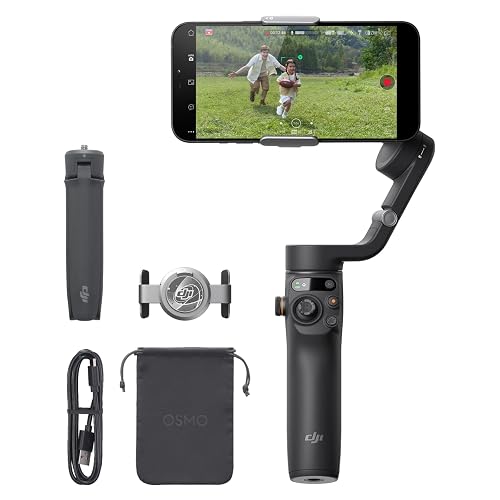
Hit 1,000 followers and the LIVE button appears in the app. Vertical video is native here, phone cameras are genuinely good, and for a just-chatting or selling stream this is a legitimate setup, not a compromise. Add a light and something to hold the phone steady and you are broadcast-ready.

Route 2: LIVE Studio, the free desktop app
TikTok LIVE Studio is TikTok’s own Windows app and the easiest way to stream with a real camera, scenes, and game capture. Quality presets run from about 2,500 kbps at 720p up to roughly 8,000 kbps for 1080p60 gaming, in both portrait and landscape. The catch: Windows only, and access rides on the same LIVE eligibility as the app.
Route 3: the stream key, gated behind agencies
A raw RTMP key lets any encoder stream to TikTok: OBS on a Mac, a belaBOX on a backpack, anything. TikTok does not hand these out self-serve anymore. In practice keys come through TikTok Creator Networks, the agencies TikTok vets, and each key is issued per session. If you are serious about IRL streaming to TikTok, joining a creator network is the unlock, and until then LIVE Studio is the ceiling.
Frequently asked
How do I get a TikTok stream key?
In 2026, raw RTMP stream keys are not self-serve. They are unlocked through TikTok Creator Networks, the agencies TikTok vets, and issued per session. Without one, desktop streaming runs through TikTok LIVE Studio, the official Windows app.
How many followers do you need to go live on TikTok?
1,000 followers, plus being 18 or older and having an account at least 30 days old. The same eligibility covers both the phone app and TikTok LIVE Studio on desktop.
Can you stream to TikTok with OBS?
Only with an RTMP key from a TikTok Creator Network, or indirectly by feeding OBS Virtual Camera into LIVE Studio. Cloud multistream services with TikTok integration are the practical workaround for most streamers.
About this guide. Written by Elan Harpaz. We do not lab-test hardware. Every quality verdict on this page is a planning budget computed from a published model, and every price is a tracked estimate rather than a live one. How the numbers are derived: methodology. How picks are chosen: editorial policy.
Build on this in the configurator