Do I need a capture card to stream?
By Elan Harpaz · Published 2026-08-26
Only if your camera is HDMI or you are streaming a console. If it is a USB webcam or your phone, you do not.
Your encoder tops out at 1080p60. A higher-end encoder would go further.
Buy links are affiliate links: we earn a commission at no extra cost to you. Prices are tracked estimates, not live prices. Full disclosure
| Component | Pick | Price | |
|---|---|---|---|
| Camera | Logitech MX Brio 4K Sharp 4K webcam with strong low light. The premium plug-and-play pick. Buy on Amazon | $199.99 | Buy on Amazon |
| Audio | FIFINE USB/XLR Dynamic Hugely popular budget dynamic that rejects room noise and keyboard clatter. Buy on Amazon | $56.99 | Buy on Amazon |
| Capture Card | Elgato Cam Link 4K Pulls a clean HDMI feed into an encoder or PC as a webcam. The standard. Buy on Amazon | $83.99 | Buy on Amazon |
| Software | OBS Studio Free, open-source broadcast software. On a PC it is also your encoder, up to 4K with a decent GPU. Learn more | Free | Learn more |
Short answer: only if your camera is HDMI (a real camera or action cam) or you are streaming a console. If your camera is a USB webcam or your phone, you do not need one.
- USB webcam: no capture card, it plugs in directly
- Phone as camera: no capture card
- Mirrorless, DSLR, or action cam: yes, you need capture
- Console (PS5 or Xbox): yes, you need capture
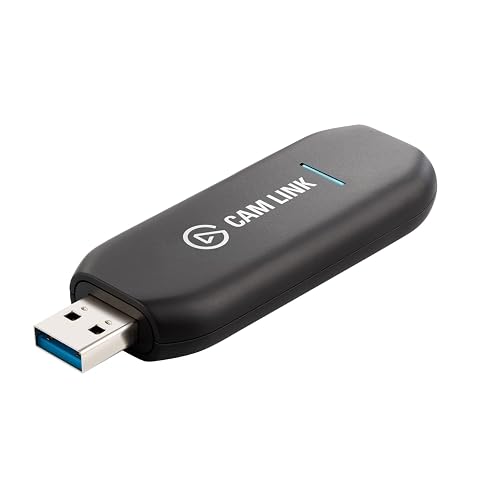
The simple, reliable pick when you do need one, turning a real camera into a clean webcam.
Not sure which camera you have? Build your setup below and we flag whether a capture card is needed.
About this guide. Written by Elan Harpaz. We do not lab-test hardware. Every quality verdict on this page is a planning budget computed from a published model, and every price is a tracked estimate rather than a live one. How the numbers are derived: methodology. How picks are chosen: editorial policy.
Build on this in the configurator